Create Notebook
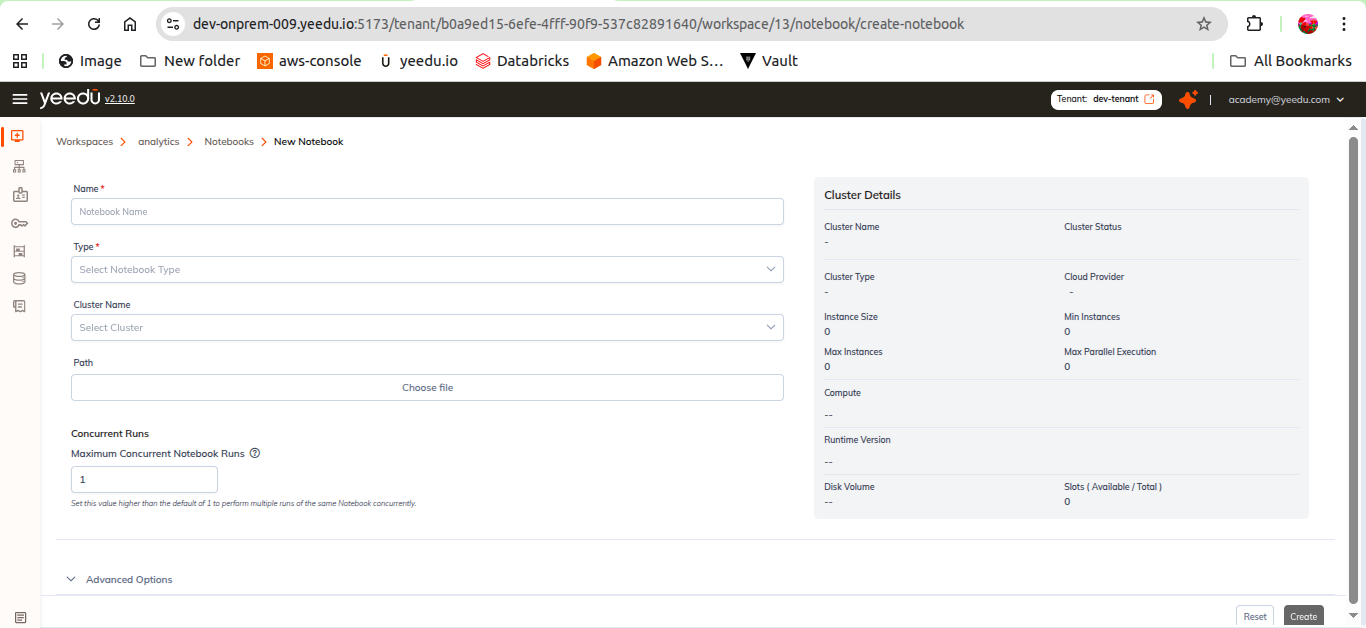
Users can create a new notebook using the + Notebook button.
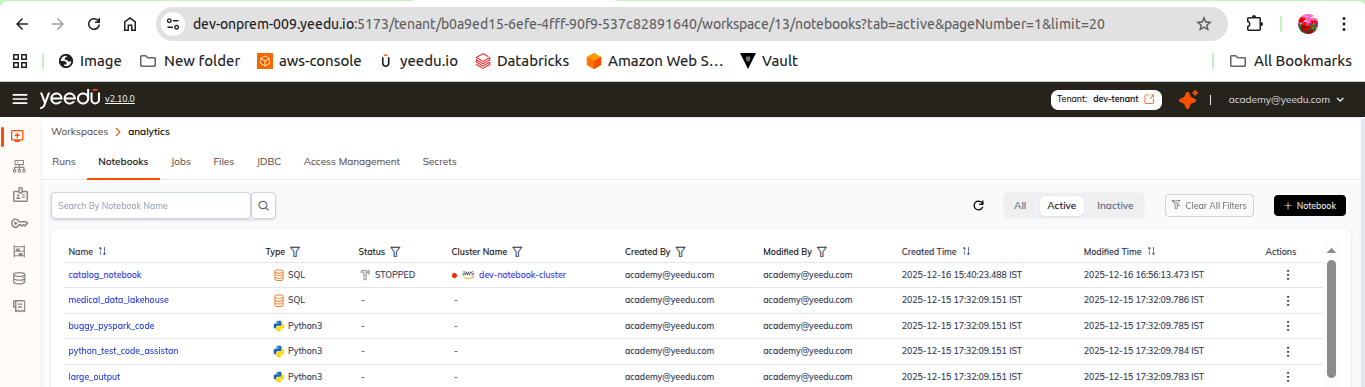
Fields in Create Notebook
Notebook Name
- Maximum length: 64 characters
- Must be lowercase
- Allowed symbols:
- _ @ .
Type
Supported notebook types:
- Python3
- Scala
- SQL
Cluster Name
Select a cluster assigned to the workspace.
Path (Optional)
Users may:
- Upload a
.ipynbfile - Provide a path to an existing notebook
- Leave it empty to auto-create a file inside
workspace/notebooks/
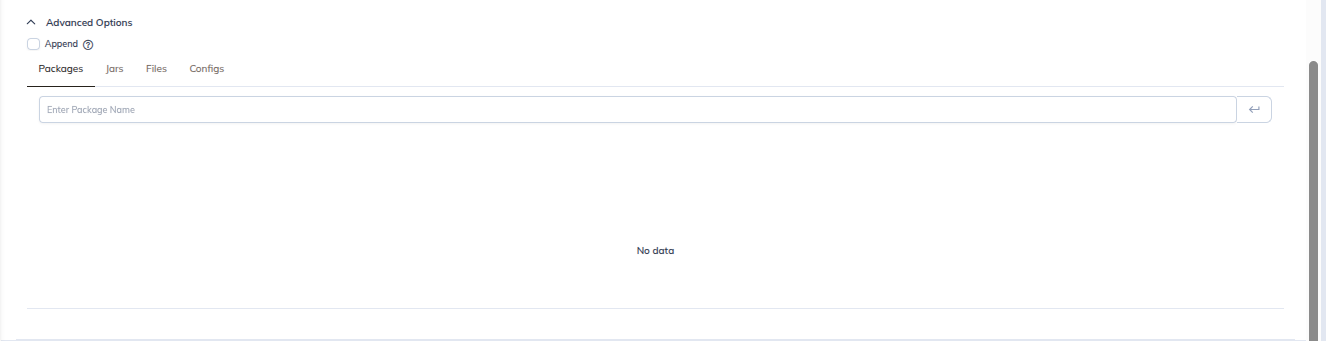
Advanced Options (Python3 Only)
Users can optionally attach:
- Packages
- JARs
- Files
- Configs
Behavior of Path Field
- If a valid
.ipynbis uploaded or referenced, Yeedu uses that file. - If the field is empty, Yeedu automatically generates a new
.ipynbfile.
The auto-created file is stored under: